

Flurr case study: how Flurr increased operational efficiency with QuickReturns
This Flurr case study shows how advanced return policies, better support and a deeper Shopify sync let the brand run returns with less manual work.



| Brand | Flurr |
|---|---|
| Industry | Women’s office wear and activewear |
| Based in | India |
| Platform | Shopify |
| Founder | Anoop Goyal |
| Using QuickReturns since | 2025 |
Highlights
- Advanced return policies
Windows, reasons, proof and fees set by rule.
- Better support
An account manager, onboarding and live chat.
- Better sync
Shopify and Unicommerce work from the same orders.
- Higher efficiency
Rules handle routine approvals and labels.
About Flurr
Flurr is a growing women’s office wear brand in India that makes workwear and activewear and sells on Shopify. It is an independent brand and a QuickReturns customer.
The challenge: returns that took manual work
Flurr wanted its returns to take less of the team’s day. Four things mattered: return policies the system could apply on its own, a support team that answers when something needs a second look, return data that stays in step with Shopify and with Unicommerce, and fewer requests that wait on a person.
Flurr moved its returns to QuickReturns in 2025.
How QuickReturns made Flurr’s returns more efficient
Advanced return policies
The store sets its own return window and return reasons, each with a sub-issue, and can ask for photo or video proof where it needs it. Return fees run on rules: a fixed amount, a percentage, a combination or the courier’s rate, limited by return reason, product tag, SKU or customer location. The shopper sees any fee before submitting.
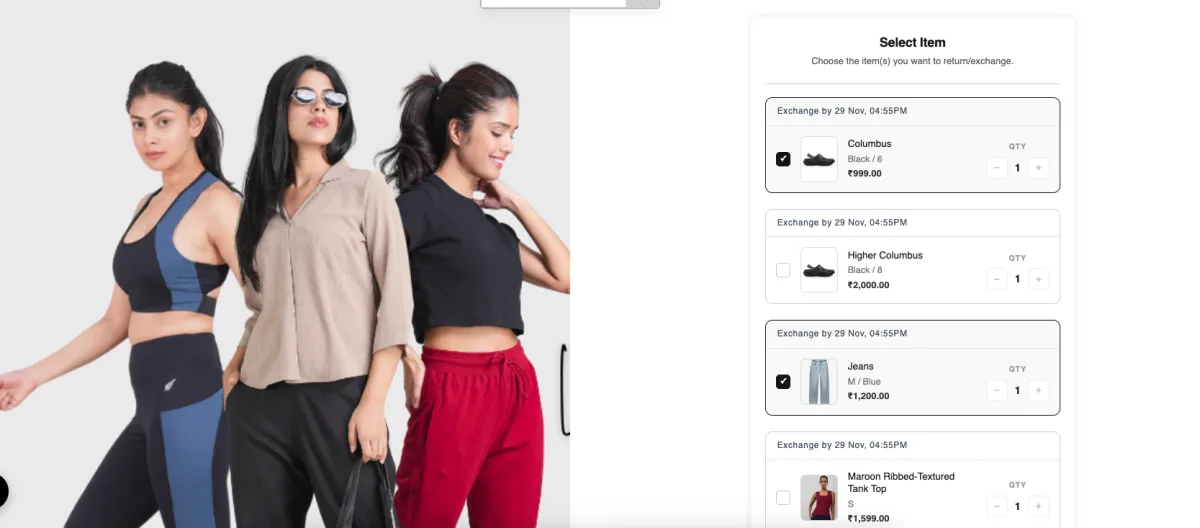
Exchanges follow the same policy. Say a shopper wants to swap two office tops for women for other sizes: one exchange request covers both items.
Better support
Every QuickReturns plan comes with a dedicated account manager, a 1:1 onboarding call and live chat support. Migration support is free, and the team rebuilds a store’s policy rules, time windows and automations, so nobody needs a developer. A returns app sits in the middle of customer service, so Flurr’s team has a person to ask when a rule or a refund needs a second look.
QuickReturns is honestly the most cost-friendly diamond in the market. The features, support, and performance are absolutely amazing, way beyond what we expected. It’s super easy to set up, works flawlessly, and the team behind it is incredibly responsive.
Better sync with Shopify and Unicommerce
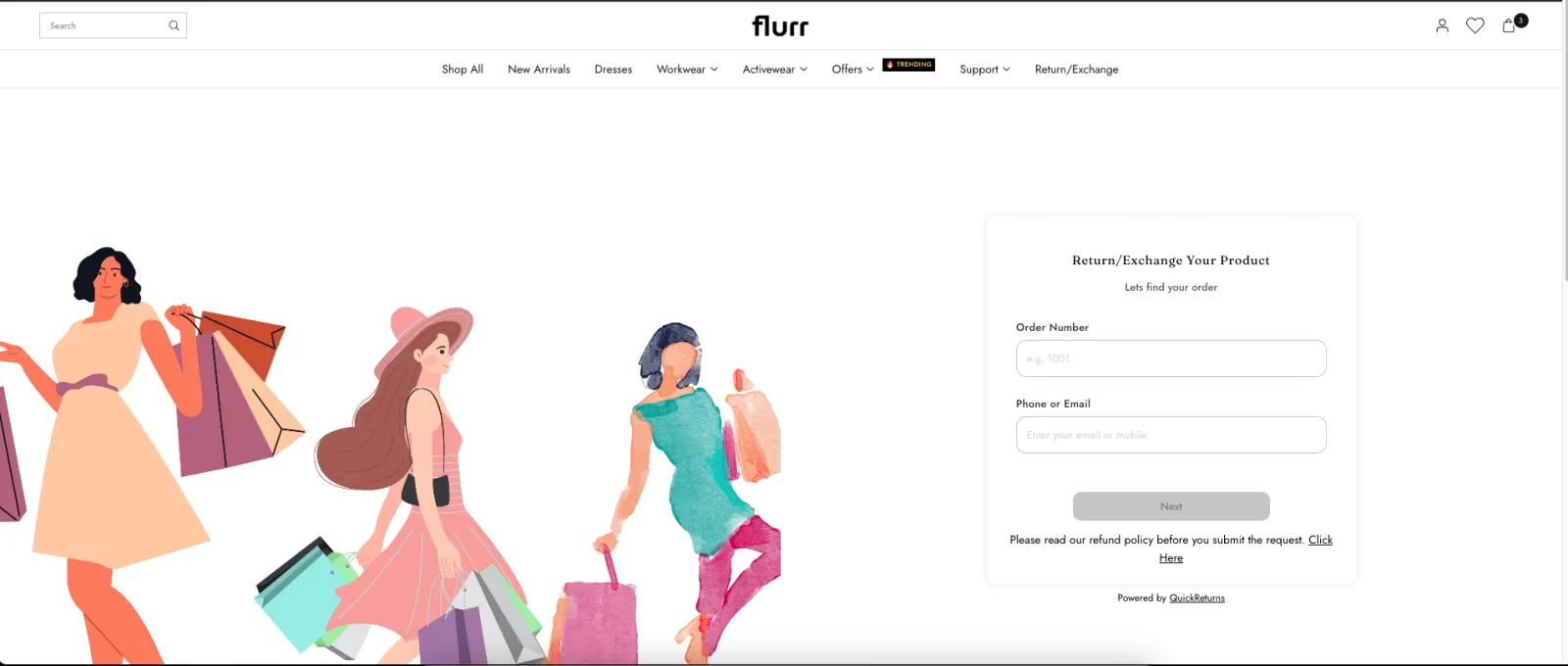
Every request starts from the Shopify order: the shopper enters the order number plus email or phone, and the portal shows what that order contains. When a delivery fails, RTO management cancels the order on Shopify and on the order management system, and prepaid orders are refunded automatically. The Unicommerce sync keeps the warehouse system on the same orders. See the full list of QuickReturns integrations.
Higher operational efficiency
Rules decide which requests are approved automatically and which go to the team for a manual check, and an automation rule can generate the prepaid return label once a request is approved. Shoppers raise requests themselves, and refunds follow the store’s rules on QuickReturns automations. Flurr says this raised its operational efficiency and freed time for exchanges and store credit.
How a return works on Flurr’s store today
Shoppers start from the “Return / Exchange” link on Flurr’s store. The terms for refunds, fees and windows are on Flurr’s return and exchange policy. The screens below are Flurr’s own shopper portal, a branded returns portal with Flurr’s look.
Find the order
The shopper enters the order number plus the email or phone used at checkout.
Pick the items
The shopper selects the items to send back, several in one request, and sees the exchange window for each item.
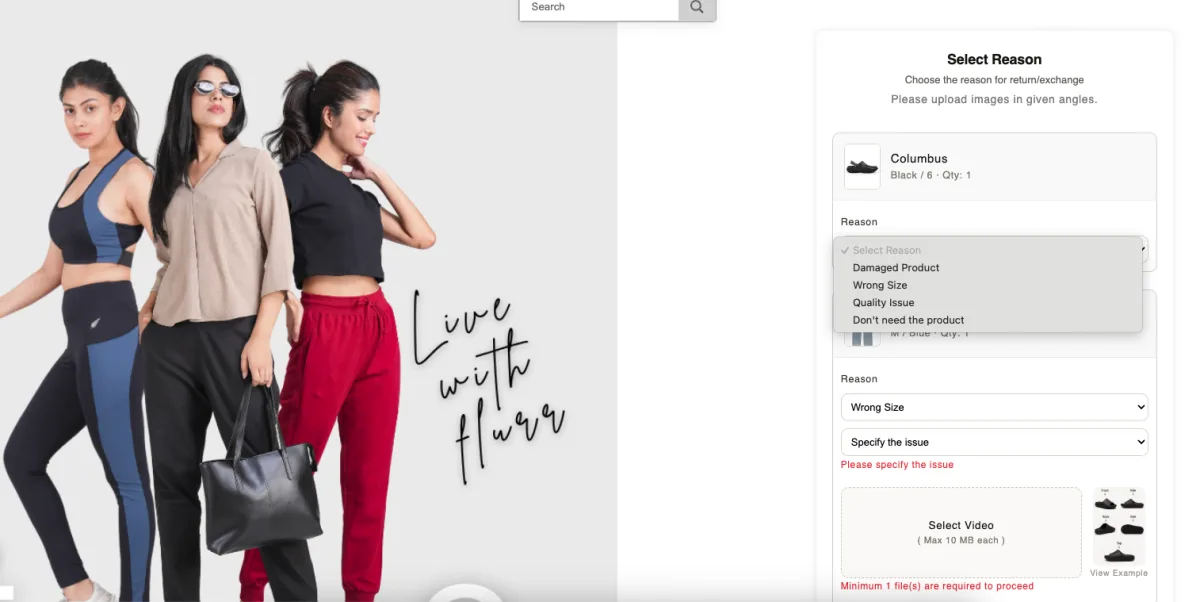
Give the reason
The shopper picks a return reason with a sub-issue, and adds photo or video proof where the store asks for it.
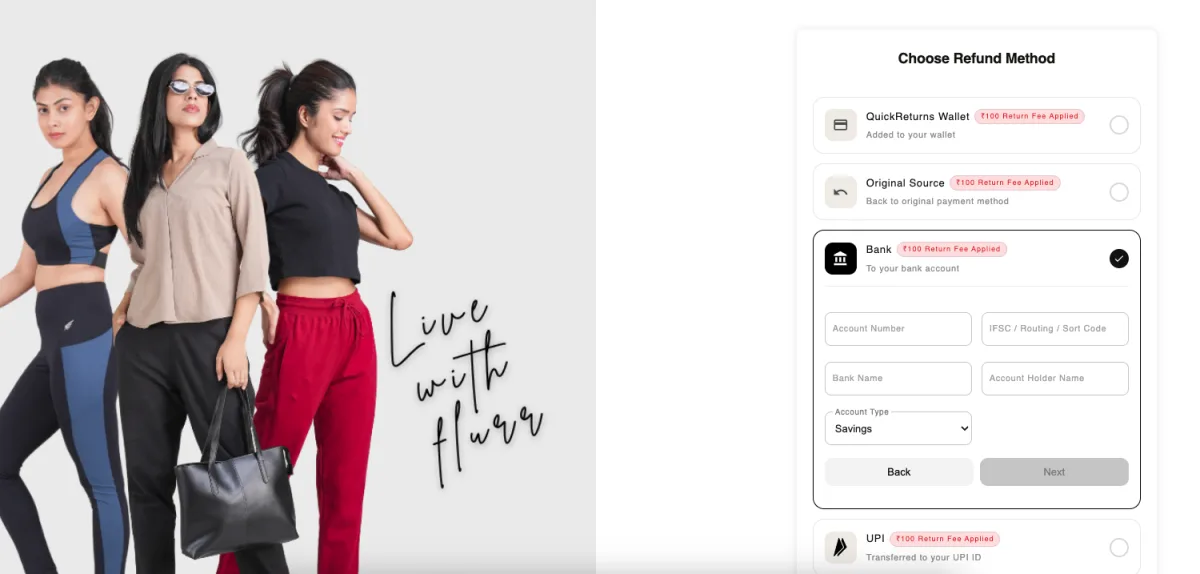
Choose how to be paid back
The shopper chooses how the refund or exchange is settled and sees any return fee.
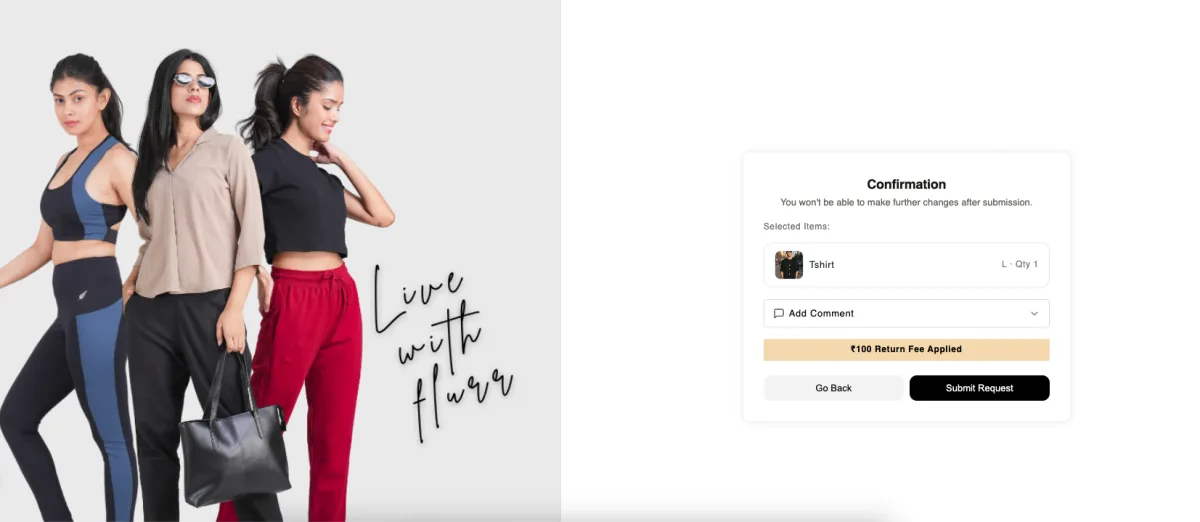
Confirm and submit
A last screen shows the request for review, with an optional comment before it is sent.
What changed for Flurr
Policies applied by rule
Windows, reasons, proof and fees are set once and applied to every request.
Help from a person
An account manager and live chat stand behind the app when a rule or a refund needs a second look.
One set of orders
Requests start from the Shopify order and the Unicommerce sync keeps the warehouse system on the same records.
Time for retention
Rules handle routine approvals and labels, which leaves the team free to steer returns toward exchanges and store credit.
Features Flurr uses
- Branded returns portal
- Return policy rules
- Exchanges, single and multi-item
- Store credit
- Automatic label generation
- Self ship
- Green Return
- RTO management
- Unicommerce sync